


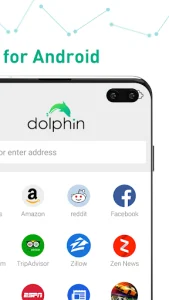

Dolphin Browser HD provides a sophisticated and highly customizable web experience for Android users who demand more than just basic functionality. It integrates a variety of innovative tools that simplify mobile navigation, making it easier to access complex websites with minimal effort. This solution is designed to bridge the gap between desktop browsing and mobile portability, offering a fluid interface that adapts to individual user habits. By focusing on speed and intuitive controls, it remains a top choice for those seeking a powerful alternative to stock browsers.
Intuitive Gesture Navigation
Navigating the internet becomes a much more tactile and personalized experience through the use of custom gestures. Users can draw specific shapes on their screens to perform common tasks such as opening a new tab, refreshing a page, or jumping directly to a favorite URL. This eliminates the need to dig through deep menus, allowing for a faster workflow while browsing on the go. It is particularly useful for one-handed operation, ensuring that your most-used commands are always just a finger-swipe away.
Smart Voice Control Integration
The inclusion of advanced voice recognition technology allows this tool to understand and execute spoken commands with impressive accuracy. By utilizing the Sonar feature, you can search for information, share content on social media, or navigate to specific websites without ever touching the keyboard. This hands-free approach is ideal for multitasking or for users who find typing on small screens cumbersome. It transforms the browsing experience into a more conversational and accessible interaction with the digital world.
Seamless Multi Tab Management
Handling multiple open websites is made effortless by a robust tabbing system that mirrors the organization found on desktop computers. This platform allows users to switch between various active pages quickly, ensuring that information stays organized and accessible. The visual layout is designed to prevent clutter, providing a clear overview of all open windows so you can manage your research or entertainment without losing track. This efficiency is vital for power users who frequently juggle several tasks simultaneously.
Personalized Add On Support
One of the standout aspects of Dolphin Browser HD is its ability to expand its core functionality through a wide range of specialized extensions. Whether you need to block intrusive advertisements, save pages as PDF files for offline reading, or manage passwords securely, there is likely an add-on available to help. This modular approach ensures that the software remains lightweight while still providing the specific tools you need for your daily routine. It allows the experience to evolve based on your unique browsing requirements.
Advanced Syncing Capabilities
Keeping your digital life synchronized across different hardware is simple with the integrated cloud services provided by this tool. By logging into a unified account, your bookmarks, history, and even open tabs are updated across all your mobile devices in real-time. This ensures a continuous journey, allowing you to start a search on your tablet and pick up exactly where you left off on your smartphone. Such connectivity is essential for maintaining productivity in an increasingly multi-device environment.












Write a review